

Koolertron One Handed Macro Mechanical Keyboard, Portable Mini One-Handed Mechanical Gaming Keypad 23 Fully Programmable Keys ((Blue Backlit/Blue switches))
Product details
| Management number | 208567895 | Release Date | 2026/03/22 | List Price | $36.00 | Model Number | 208567895 | ||
|---|---|---|---|---|---|---|---|---|---|
| Category | |||||||||
Note: Please download the keyboard's configuration software according to the URL on the package box After opening the software,when you need to use the "Key Mapper / Custom Macro / Quick Macro / Options " function, you need to click the "Connect" in the top-left to connect the keypad.Once set up,you need to click the "Upload" to save.Otherwise all settings are invalid. Normal/FN/FN2/FN3 4-Layer Configuration You can set up Normal/FN/FN2/FN3 4-layer configuration. Once set up, the 23-keys keypad will be converted into a 92-key keypad. *You need to set a shortcut key of the FN layer in the Normal layer,When you need to enter a key on the FN layer,you need to press and hold the FN key on the normal layer,and then press the key of the FN layer that you want to enter.(The other FN2/FN3 layers are the same method, and the FN2/FN3 has a toggle button,only need to press once to switch to the FN2/FN3 layer,needn't to hold it down when using) Custom Advanced Macro You can set up 12 advanced macros (with time delay) and 12 quick macros (without time delay).Each macro can record up to 42 characters.A total of 24 macros can be cascaded or cycled.Such as: office/wps and other office software shortcuts,CAD/Ae/Pr/Ps shortcuts,various user accounts and passwords,game quick tricks,basic code for programmers The user can define a key as a specified macro,and trigger the macro by simply triggering the key.When using a loop macro, press the key to trigger and press again to stop Specifications: Keyboard switch: OEM Outemu blue switches Shell material: High-quality plexiglass Rating: DC 5V, <100mA Compatible with Windows XP,7,8,10,Mac OS Package Included: 1xKeyboard (Equipped 23 Top Print Keycaps) 1xUSB Cable 1xKeycaos Puller 65xTop Print Keycaps 23xBlank Print Keycaps
- 【All 23 Keys Programmable】All keys can be programmable. The custom programmable key functions include regular 127 buttons, web navigation buttons, 19 multimedia shortcuts, keyboard locks, Windows locks, etc. Each button can be set to any of these buttons.
- 【All Macro Keys】There are 16 macro function buttons. Macro functions can be used in series and can support up to 349 key commands, which can meet various complex usage scenarios, Such as: office/wps and other office software shortcuts, CAD/Ae/Pr/Ps shortcuts, various user accounts and passwords, game quick tricks, basic code for programmers. For example, setting a button triggers "ctrl+a 0.5s ctrl+c 0.5s ctrl+v" etc a series of operations
- 【4-Layer Custom Configurations】 Built-in MCU, after keyboard keys be set up, it can be stored in keyboard's MCU, and no need reset the keyboard even replace the computer. Can save 4-layer of configurations to handle multiple usage scenarios. Perfect not only for gamers but also for so many other types of users including designers and video editors
- 【Portable Mini Keypad】Portable Mini keypad,5"x 3.5" x 1.2" ultra-small size, effectively saves desktop space. Detachable USB cable. You can connect the keypad (plug and play) and a 104-key keyboard with the same computer at the same time, they will not interfere with each other.
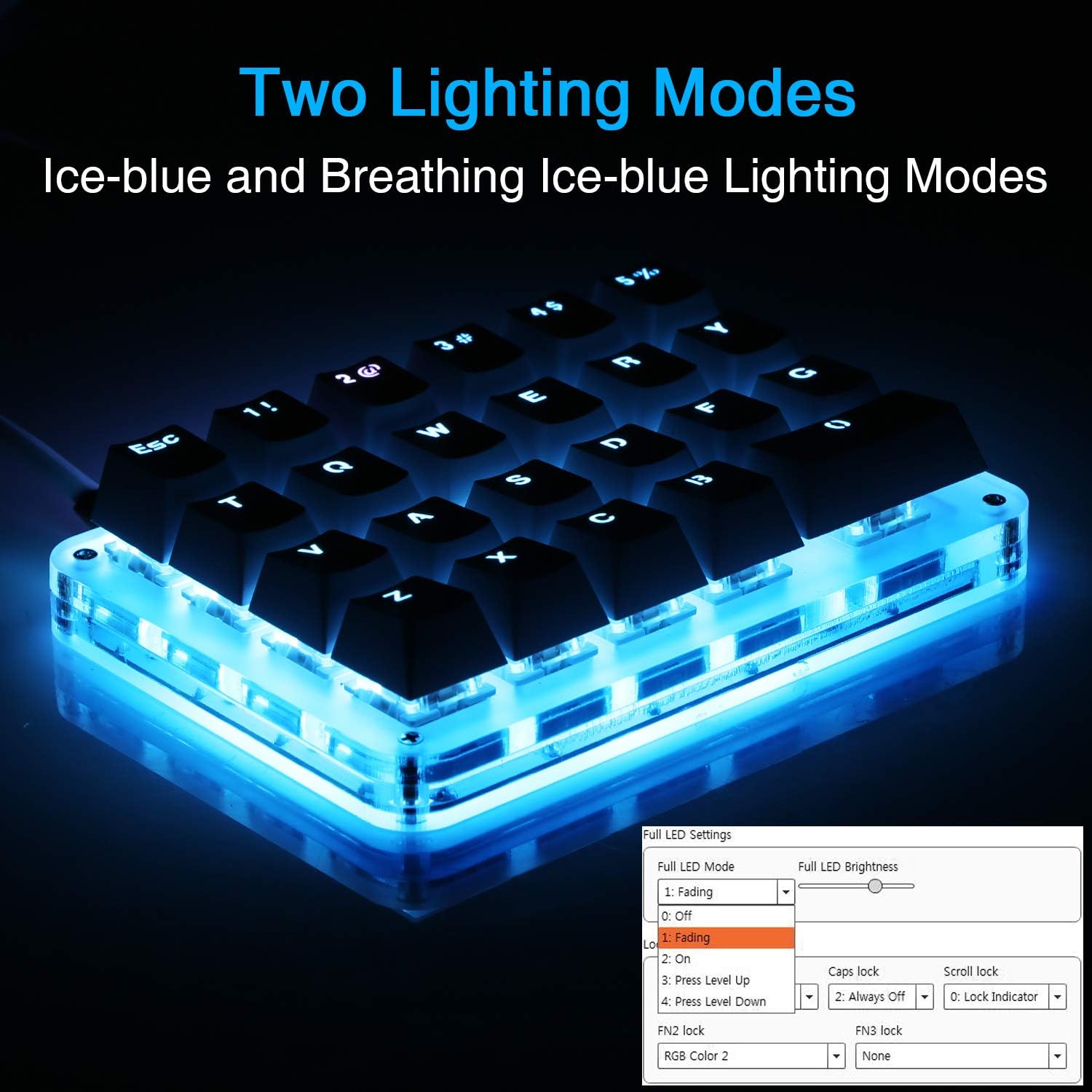
- 【Blue LED Backlight】The backlight brightness can be adjusted/turned off. Very clear and bright buttons, you can enjoy yourself in the dark night without the lamp.The light of the 3rd key in the first line of the keyboard is the indicator light and can't adjust the color.It is turned on by default.If you want to set your own color,you need to turn it off first.
- Note: Please download the latest version of the keyboard configuration software according to the website: (If you have any problems, please tell us in time)Windows--https://product_manual.s3.us-east-1.amazonaws.com/MYKB.zip . Mac OS--https://product_manual.s3.us-east-1.amazonaws.com/MYKB_For_MacOS.zip .
| Brand | Koolertron |
|---|---|
| Color | White/Blue backlit/Blue switches |
| Item Weight | 0.01 ounces |
| Manufacturer | Koolertron |
| Power Source | Corded Electric |
| Operating System | Windows XP |
| Hardware Platform | Laptop, PC |
| Item model number | 8541666962 |
| Product Dimensions | 5 x 3.5 x 1.2 inches |
| Item Dimensions LxWxH | 5 x 3.5 x 1.2 inches |
| Is Discontinued By Manufacturer | No |



Bestseller ranking
Single-use batteries


Customers who viewed this product also viewed
Gaming Keyboards


Correction of product information
If you notice any omissions or errors in the product information on this page, please use the correction request form below.
Correction Request Form